
Documentation Index
Fetch the complete documentation index at: https://docs.evergreens.ai/llms.txt
Use this file to discover all available pages before exploring further.

Overview
Brands are the companies AI Brand Monitor tracks in AI responses. You can monitor your own brand and multiple competitors to see how AI platforms compare you against the competition.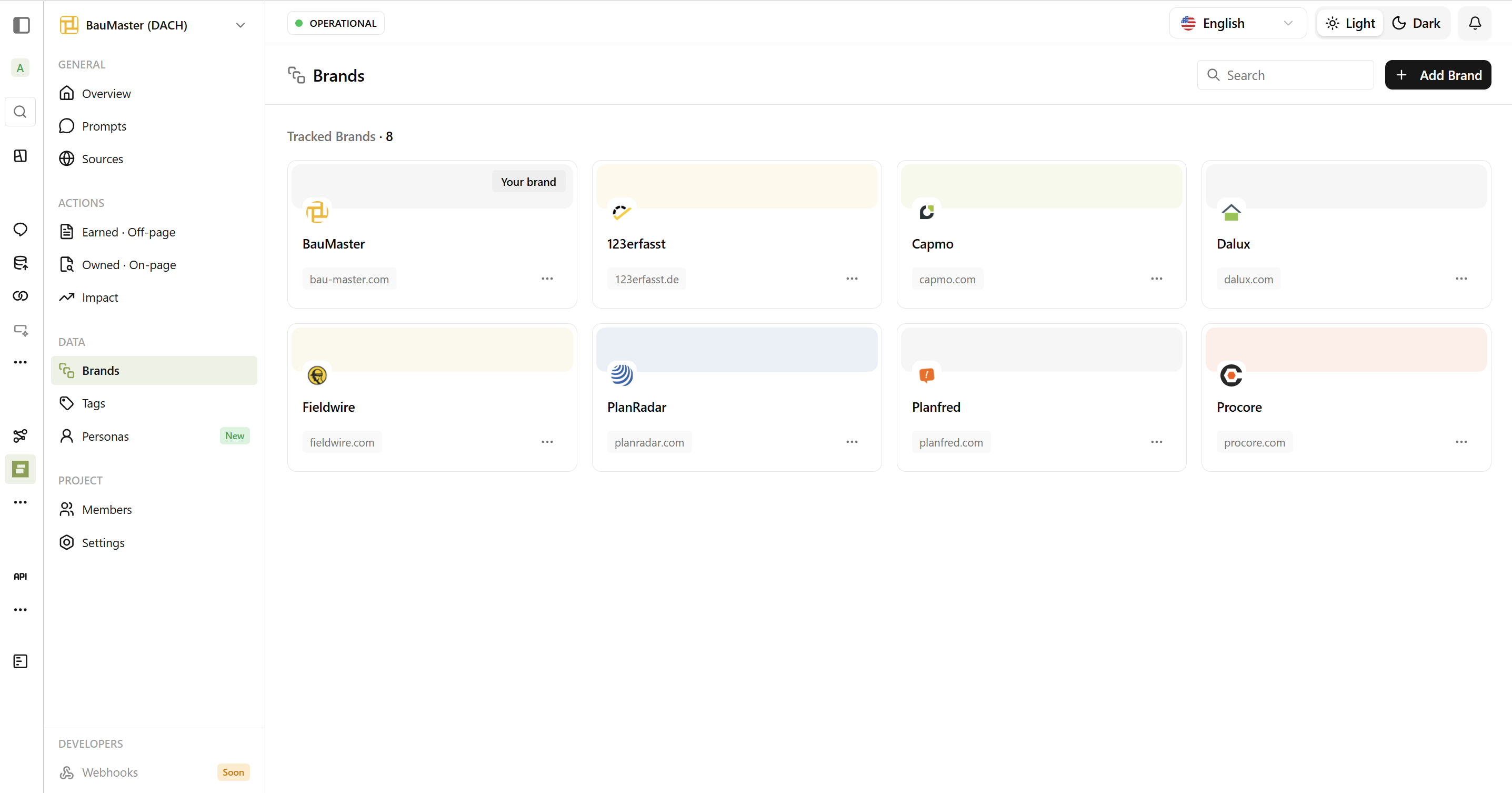
Types of Brands
Your Brand
Your primary brand - highlighted with the “Your brand” badge in
Dashboard. You should have exactly one brand marked as your own per
project.
Competitors
Companies you compete against. Track them to compare visibility, sentiment,
and positioning.
Setting Up Brand Tracking
What You Need to Configure
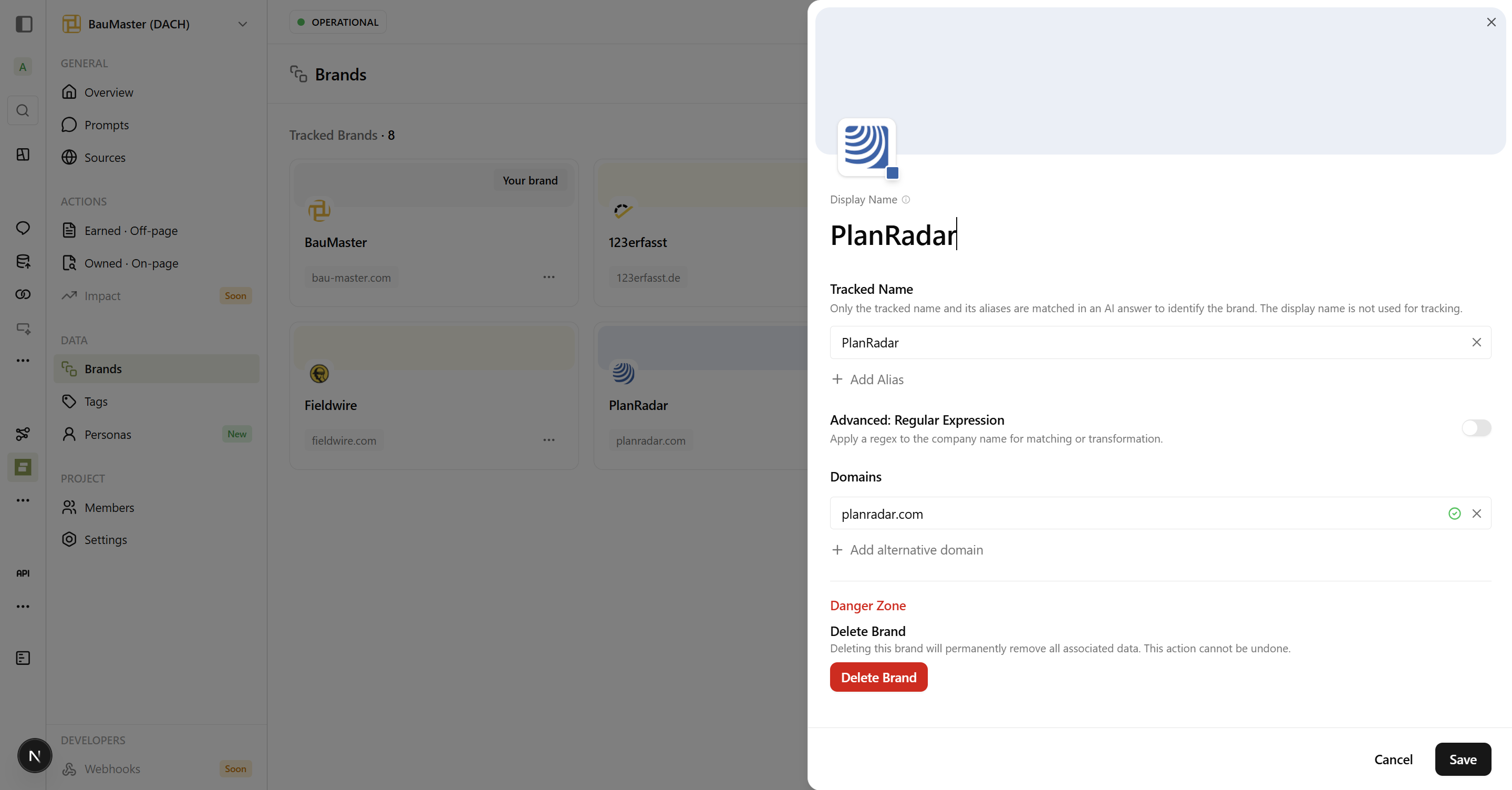
Tracked Name
The name AI Brand Monitor looks for in responses. Should be the most common
way people refer to your brand. Case-insensitive.
Domains
Your websites (e.g., yourcompany.com). Helps identify owned content vs.
third-party mentions.
Aliases Are Important
| Main Name | Suggested Aliases |
|---|---|
| Salesforce | SFDC, Salesforce CRM, Salesforce.com |
| HubSpot | Hub Spot, HubSpot CRM |
| Microsoft | MS, MSFT |
How Brand Detection Works
When AI Brand Monitor receives an AI response, it scans the text for:- Exact matches - “Salesforce offers…”
- Alias matches - “SFDC pricing includes…”
- Contextual matches - Brand mentioned in context
Example: Clear Detection
Example: Clear Detection
“For enterprise CRM, I recommend Salesforce or HubSpot.”Both Salesforce and HubSpot are detected as mentioned.
Example: Contextual Detection
Example: Contextual Detection
“The platform from Salesforce.com is comprehensive.”Detected because the domain is in brand settings.
Example: Missed Detection (without alias)
Example: Missed Detection (without alias)
“Many companies use SFDC for sales management.”Would be missed if “SFDC” isn’t set as an alias!
Brands Table
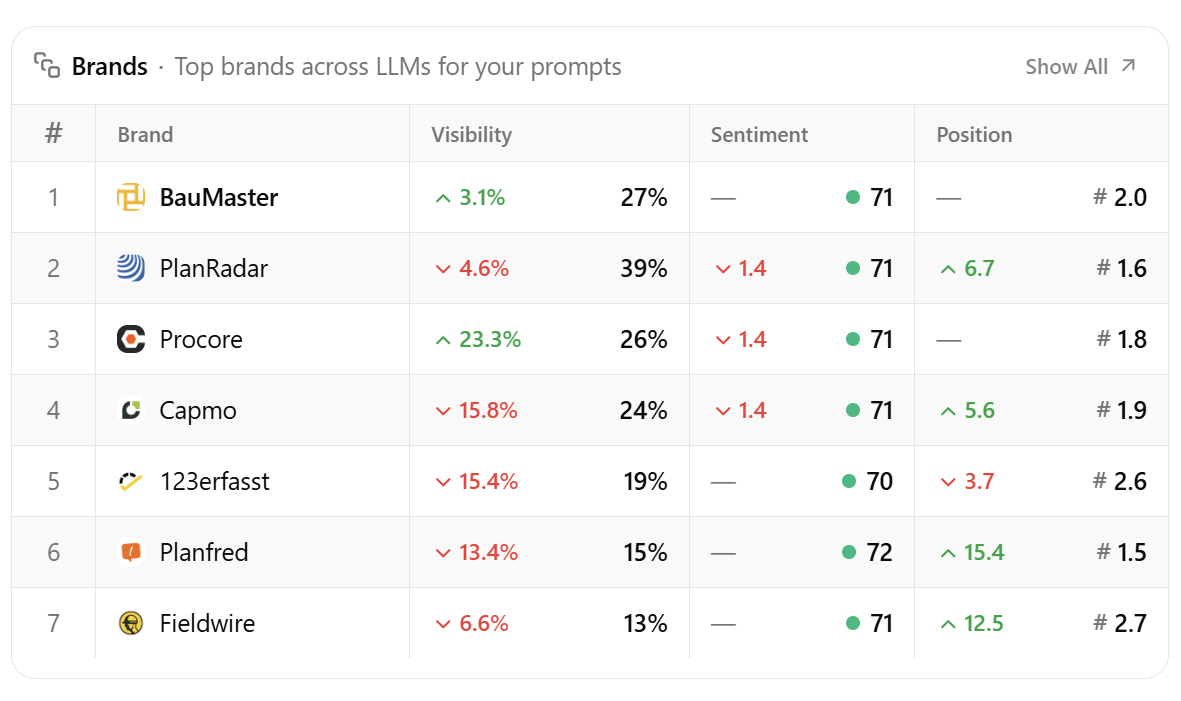
| Column | What It Means |
|---|---|
| Brand | Brand name and logo |
| Visibility | Percentage of chats mentioning this brand |
| Sentiment | Average sentiment score (0-100) |
| Position | Average position in recommendation lists |
Competitive Analysis
If Your Visibility Is Lower Than Competitors
If Competitors Have Better Sentiment
Managing Brands
Adding a New Brand
Editing a Brand
Changes take effect immediately for new data. Historical data remains unchanged.Removing a Brand
When you remove a brand:- Brand disappears from charts
- Historical mentions remain in the database
- You can re-add the brand later
Best Practices
Choosing Competitors
Do Track
- Direct competitors (same product category) - Market leaders (even if different segment) - Emerging competitors (new entrants gaining traction)
Don't Over-Track
- Too many competitors (3-5 is ideal) - Unrelated companies - Brands you don’t actually compete with
Setting Up Aliases
Think about:- Common abbreviations (IBM, MS, SFDC)
- Old company names (if recently rebranded)
- Product names (if different from company)
- Regional variations
Regular Review
Monthly: Check for new competitors, review missed mentions, and add new
aliases if AI uses unexpected names.
Suggested Brands
AI Brand Monitor automatically detects brands mentioned in AI responses that you’re not yet tracking. Check the “Suggested Brands” section to:- Discover new competitors
- Find brands you forgot to add
- Identify industry partners worth tracking