
Documentation Index
Fetch the complete documentation index at: https://docs.evergreens.ai/llms.txt
Use this file to discover all available pages before exploring further.

Core Concepts
Projects
A project represents one brand or product you want to monitor. Each project has:Domain
Your main website (e.g., example.com)
Location
Target market (e.g., US, Germany, UK)
Language
Content language (e.g., English, German)
AI Platforms
Which AI assistants to monitor
Prompts
Prompts are the questions AI Brand Monitor asks AI platforms on your behalf. These should be questions your potential customers might ask:- “What’s the best CRM for small businesses?”
- “How does Salesforce compare to HubSpot?”
- “Top project management tools for remote teams”
Brands
Brands are the companies you’re tracking. You have:- Own Brand - Your company (shown in green by default)
- Competitors - Companies you’re competing against
Dashboard Overview
When you log in, you’ll see the main dashboard with: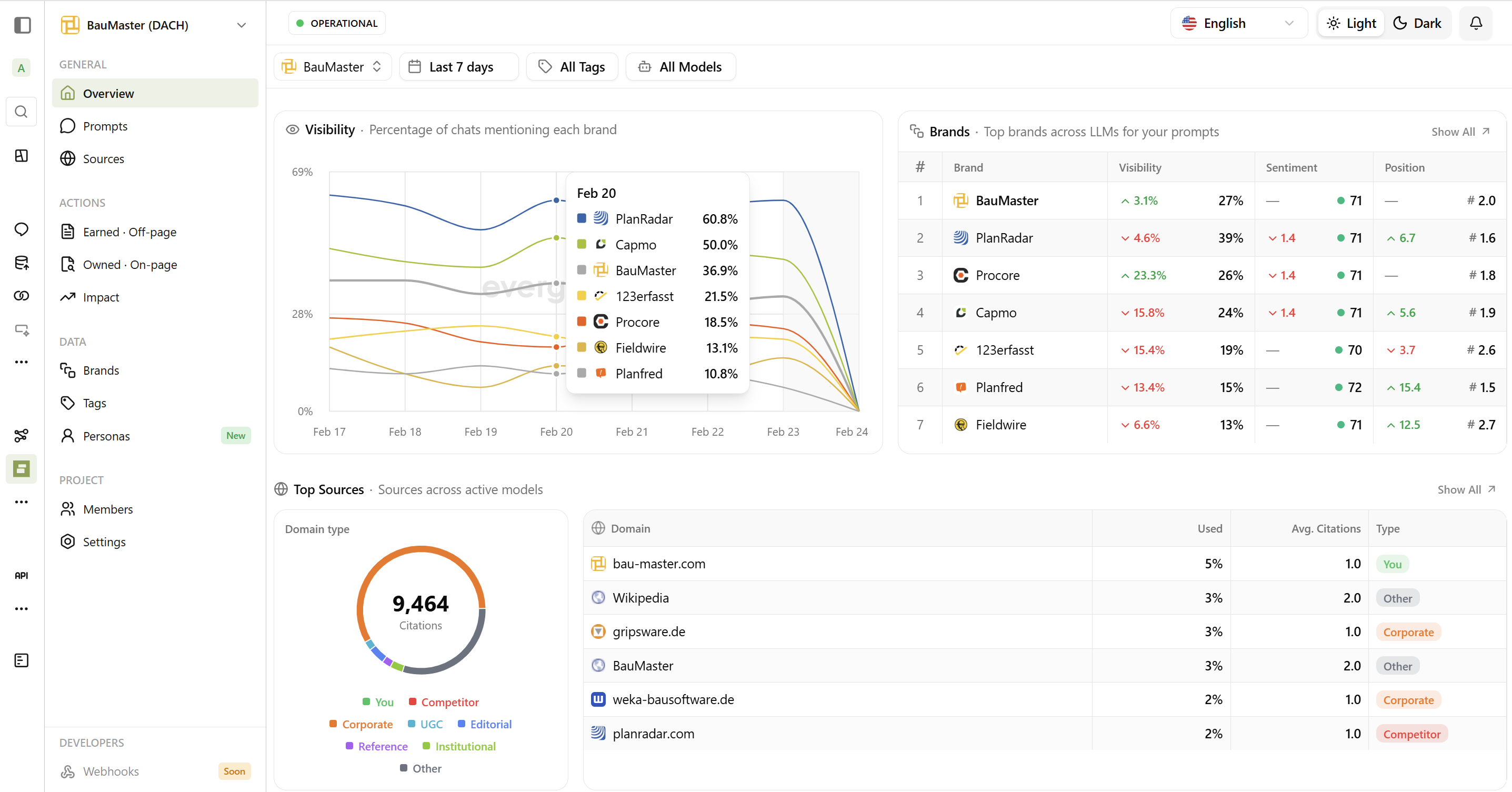
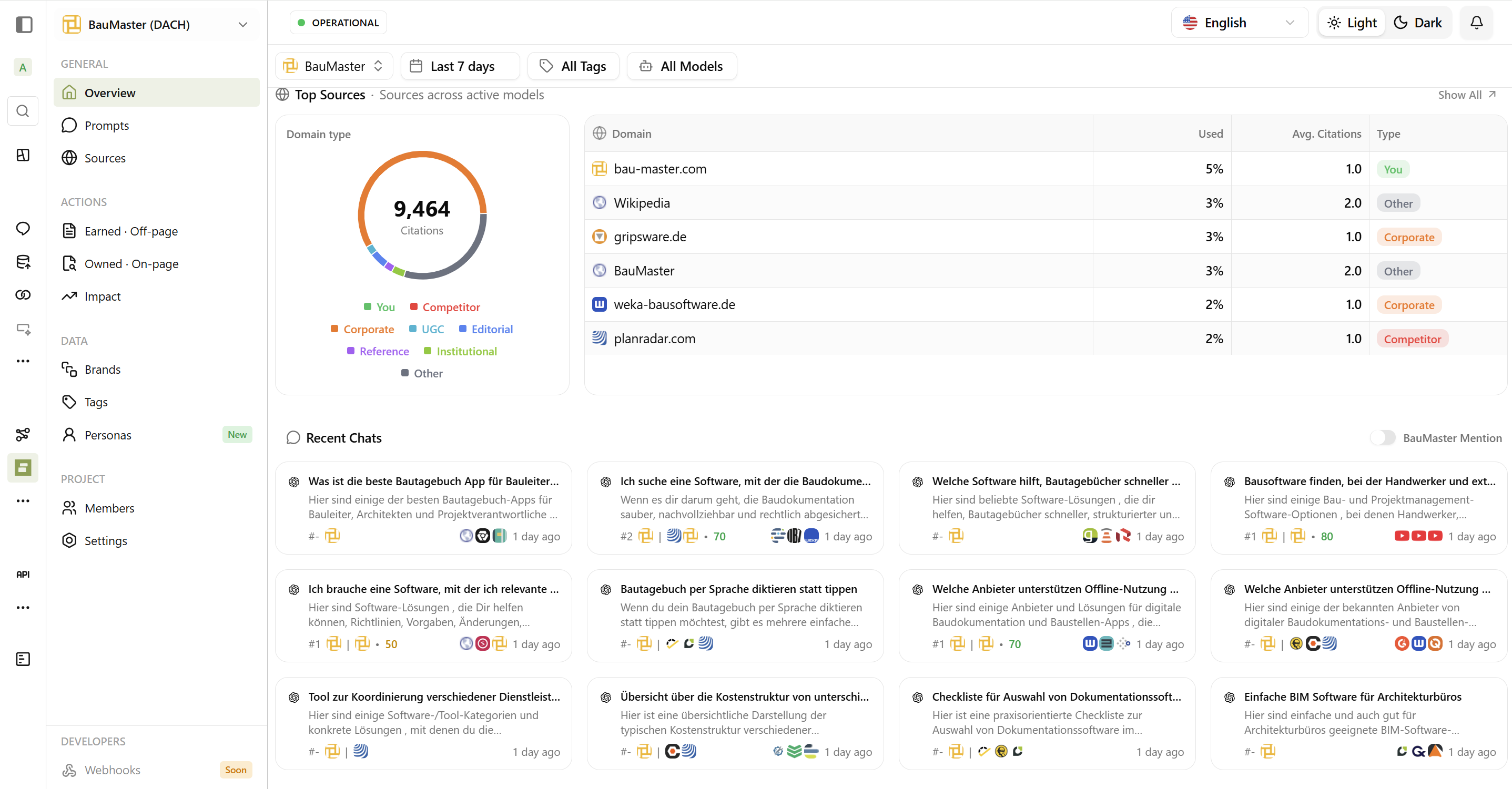
| Section | What It Shows |
|---|---|
| Visibility Chart | How often your brand appears vs. competitors over time |
| Brands Table | Current metrics for each tracked brand |
| Top Sources | Websites AI platforms cite most frequently |
| Recent Chats | Latest AI responses with your prompts |
Key Metrics at a Glance
Visibility
How often your brand appears when AI answers relevant questions.Understanding Visibility Scores
Understanding Visibility Scores
| Score | What It Means |
|---|---|
| 100% | Mentioned in every response - excellent! |
| 50% | Mentioned in half of responses - good progress |
| 0% | Never mentioned - opportunity to improve |
Sentiment
How positively or negatively AI describes your brand.Understanding Sentiment Scores
Understanding Sentiment Scores
| Score | What It Means |
|---|---|
| 80-100 | Very positive - AI recommends you enthusiastically |
| 50-79 | Neutral or mixed - mentioned without strong opinion |
| 0-49 | Negative - AI criticizes or warns against you |
Position
Where your brand appears in AI recommendation lists.Understanding Position Scores
Understanding Position Scores
| Score | What It Means |
|---|---|
| 1.0 | Always mentioned first - top of mind |
| 3.5 | Usually mentioned third or fourth |
| ⚠️ | Lower is better - you want to be mentioned first! |
Filtering Your Data
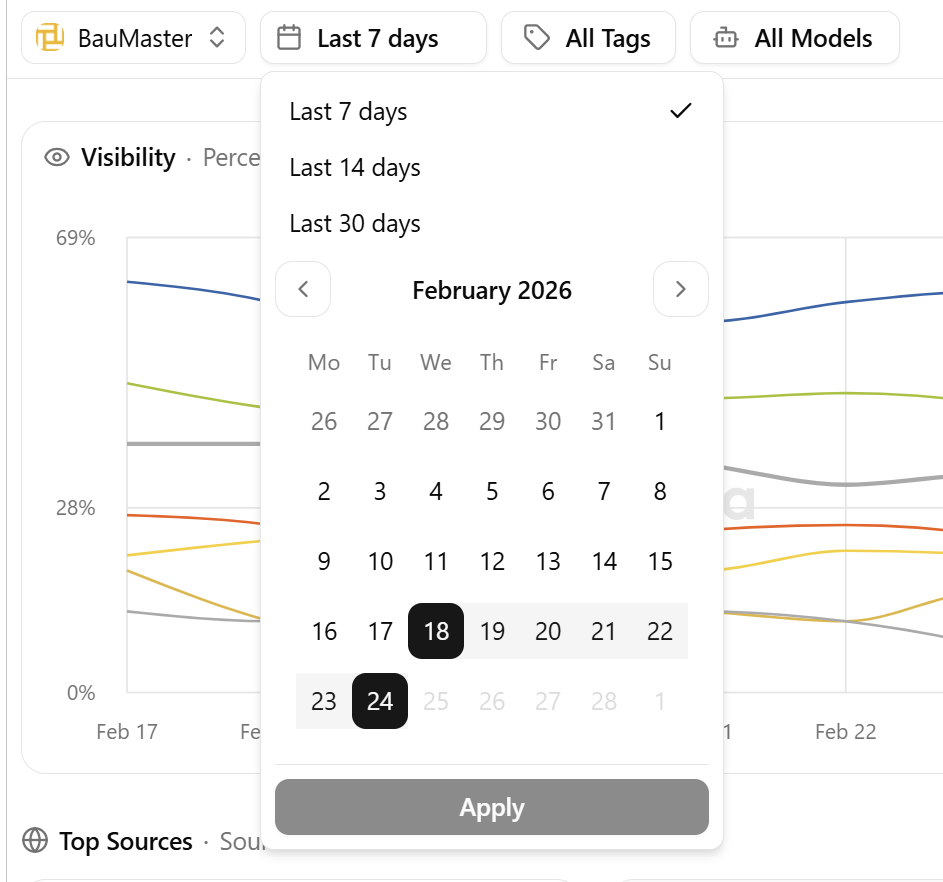
You can filter dashboard data by:| Filter | What It Does |
|---|---|
| Date Range | View specific time periods |
| AI Platforms | Focus on specific AI assistants |
| Tags | View prompts with specific tags |
| Topics | View prompts in specific topic groups |
| Brand | Focus on a specific brand’s mentions |
Daily Updates
AI Brand Monitor runs your prompts through all selected AI platforms every day at 00:00 UTC. Results are processed overnight, so you’ll see fresh data each morning.