
Documentation Index
Fetch the complete documentation index at: https://docs.evergreens.ai/llms.txt
Use this file to discover all available pages before exploring further.

Overview
Prompts are the questions AI Brand Monitor asks AI platforms on your behalf. They’re the foundation of your AI visibility monitoring - the better your prompts, the more relevant your insights.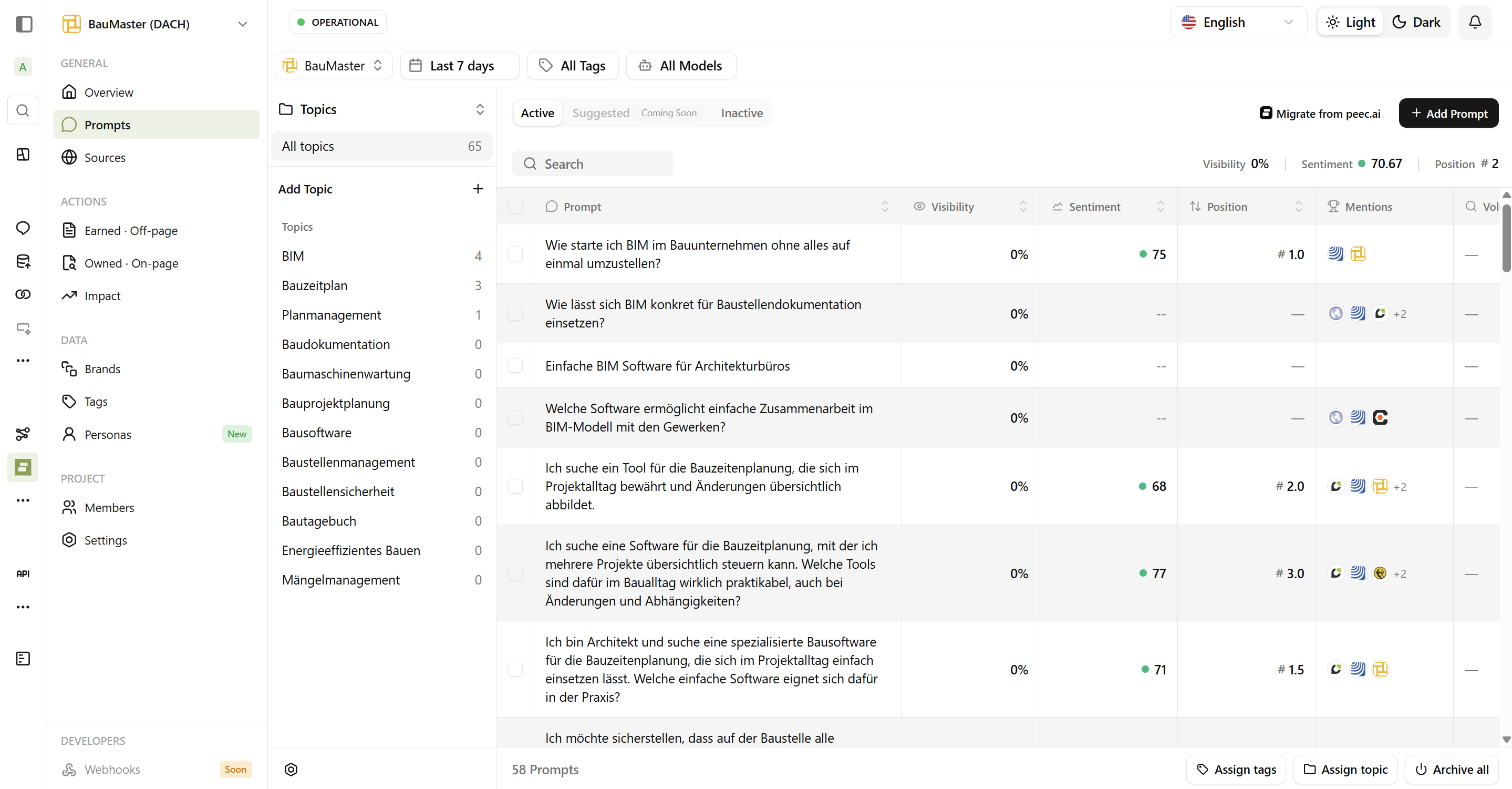
What Makes a Good Prompt?
Customer-Centric Questions
The best prompts mirror what your actual customers ask AI assistants:Good Prompts
- “What’s the best CRM for small businesses?”
- “HubSpot vs Salesforce for startups”
- “Top project management tools 2026”
Weak Prompts
- “Tell me about [Your Company]”
- “Is [Your Company] good?”
- “Best software”
Types of Prompts to Include
Competitive Prompts
Competitive Prompts
Include prompts that naturally include competitors:
- “How does [Your Brand] compare to [Competitor]?”
- “Best alternatives to [Competitor]”
- “[Your Brand] vs [Competitor] vs [Competitor]”
Category Prompts
Category Prompts
Prompts for your product category:
- “Best [category] software”
- “Top [category] tools for [use case]”
- “[Category] solutions for [industry]”
Use Case Prompts
Use Case Prompts
Prompts targeting specific customer needs:
- “CRM for small business”
- “Project management for remote teams”
- “Email marketing for e-commerce”
Creating Effective Prompts
The Prompt Formula
- Best + CRM + for small businesses
- Compare + project management tools + for remote teams
- Top + marketing automation + under $100/month
Prompt Variations
| Base Topic | Variations |
|---|---|
| CRM Software | ”Best CRM”, “CRM for startups”, “Enterprise CRM”, “Free CRM tools” |
| Email Marketing | ”Email marketing platforms”, “Best email tools”, “Mailchimp alternatives” |
Location Context
If your project targets a specific market, prompts should reflect that:- US Market: “Best CRM for American small businesses”
- German Market: “Beste CRM-Software für kleine Unternehmen”
Organizing Your Prompts
Topics
Group related prompts into topics for better organization - think of them like folders: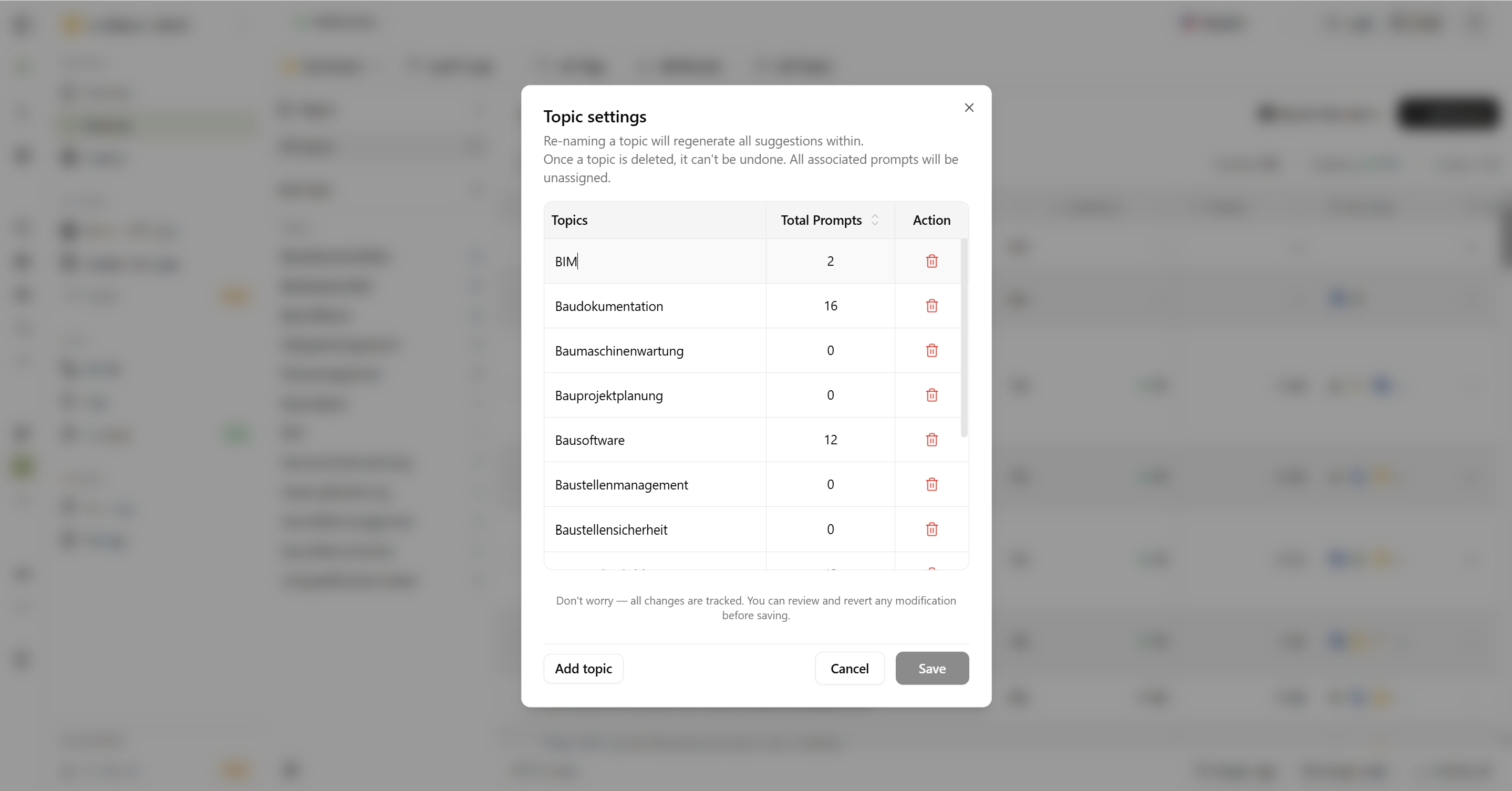
| Topic | Example Prompts |
|---|---|
| Product Comparisons | ”X vs Y”, “Compare X and Y” |
| Best-of Lists | ”Best X for Y”, “Top X tools” |
| Use Cases | ”X for small business”, “X for enterprise” |
| Features | ”X with feature Y”, “How to do Y with X” |
Tags
Add tags for flexible filtering: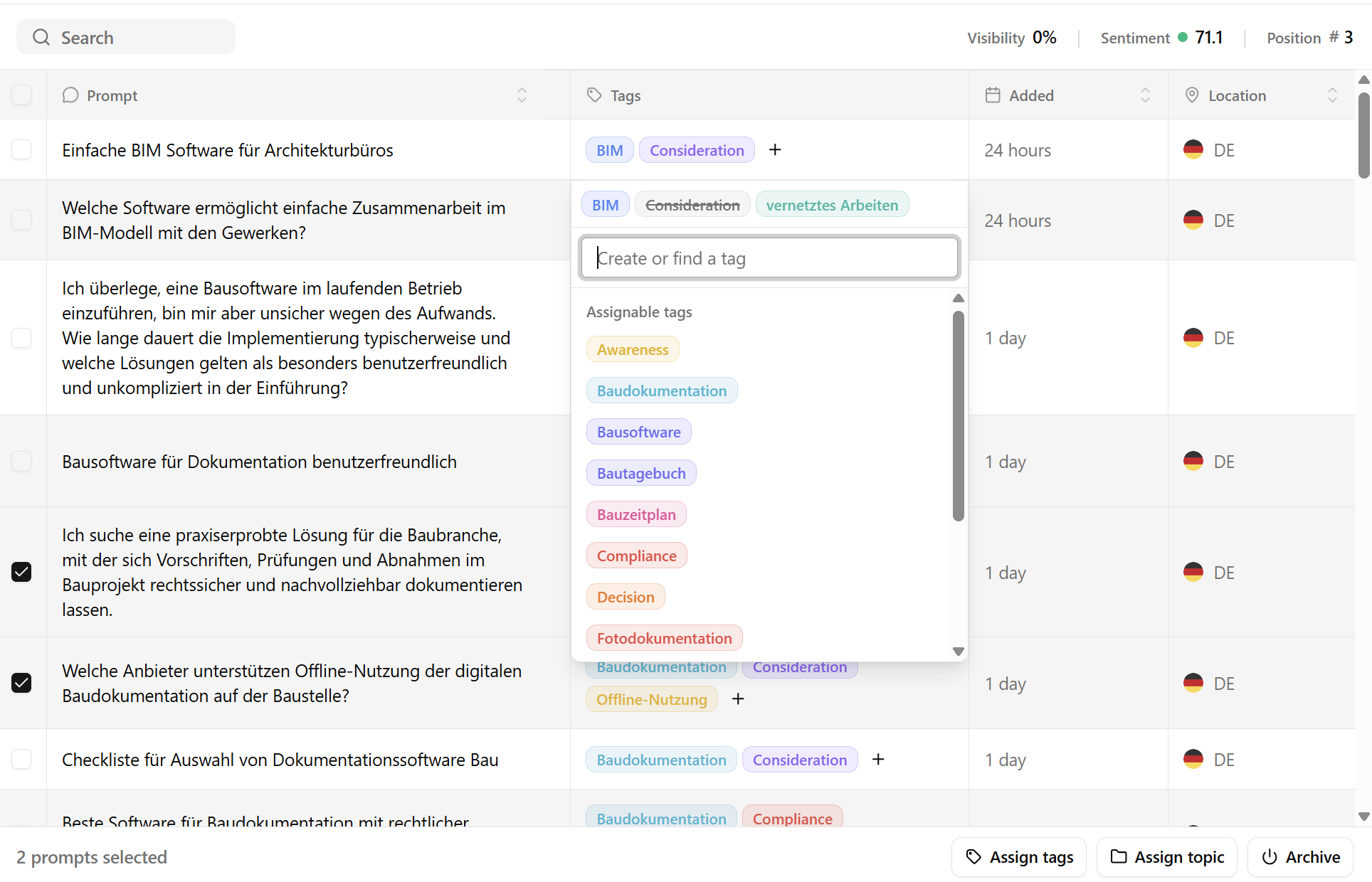
| Tag | Use For |
|---|---|
| High Priority | Critical prompts to monitor closely |
| Competitive | Direct competitor comparisons |
| Brand Awareness | General visibility prompts |
| Feature-Specific | Prompts about specific features |
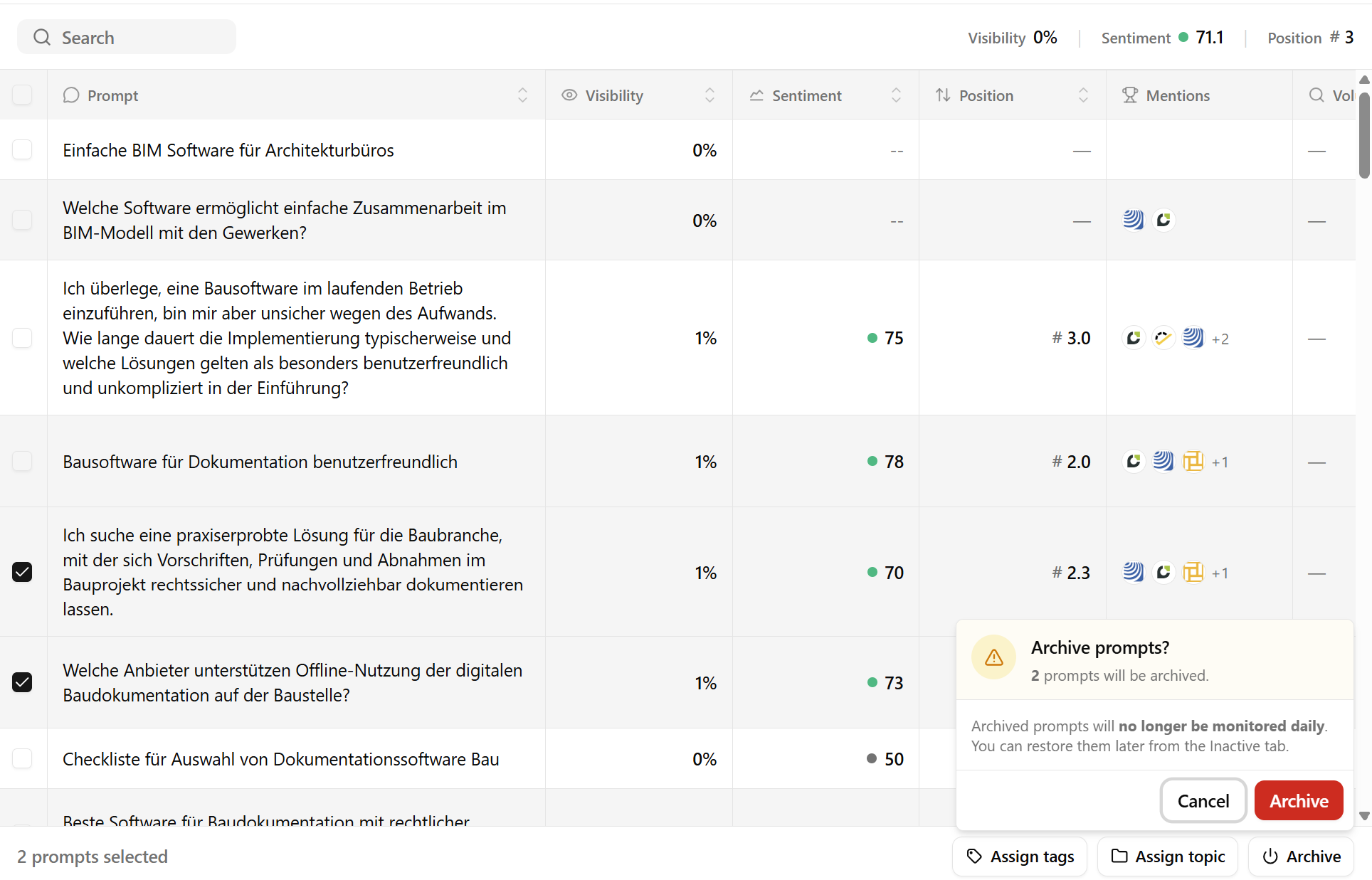
Prompt Lifecycle
Status Options
| Status | What It Means |
|---|---|
| Active | Runs daily across all AI platforms |
| Archived/Inactive | Stored but not running (saves resources) |
- Seasonal prompts (holiday-specific)
- Temporary campaigns
- Testing before full rollout
- Outdated questions
- Discontinued products
- Replaced by better prompts
Viewing Prompt Results
Click any prompt to see: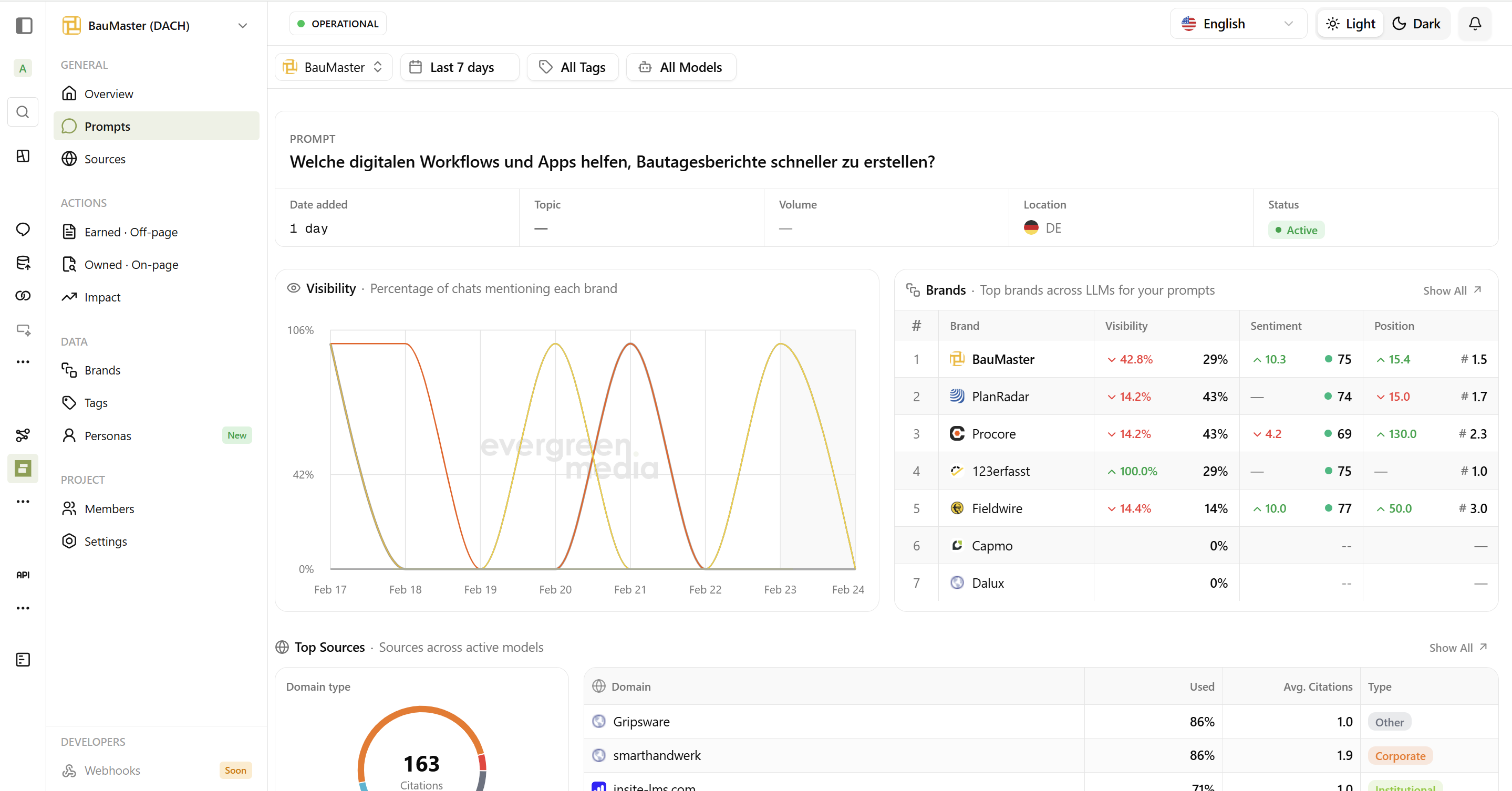
| Section | What You’ll See |
|---|---|
| Visibility | % of platforms mentioning your brand |
| By Platform | Results from each AI assistant |
| Brand Mentions | Which brands appeared in responses |
| Response Text | Full AI responses (click to expand) |
| Sources | Websites AI cited |
Bulk Operations
Adding & Migrating Multiple Prompts
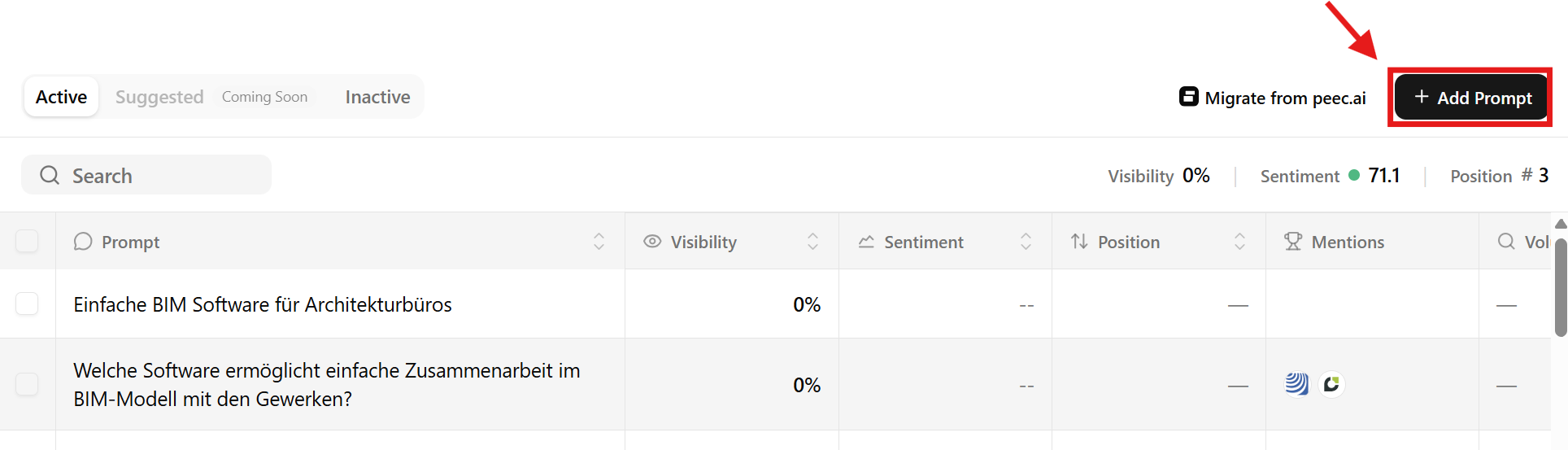
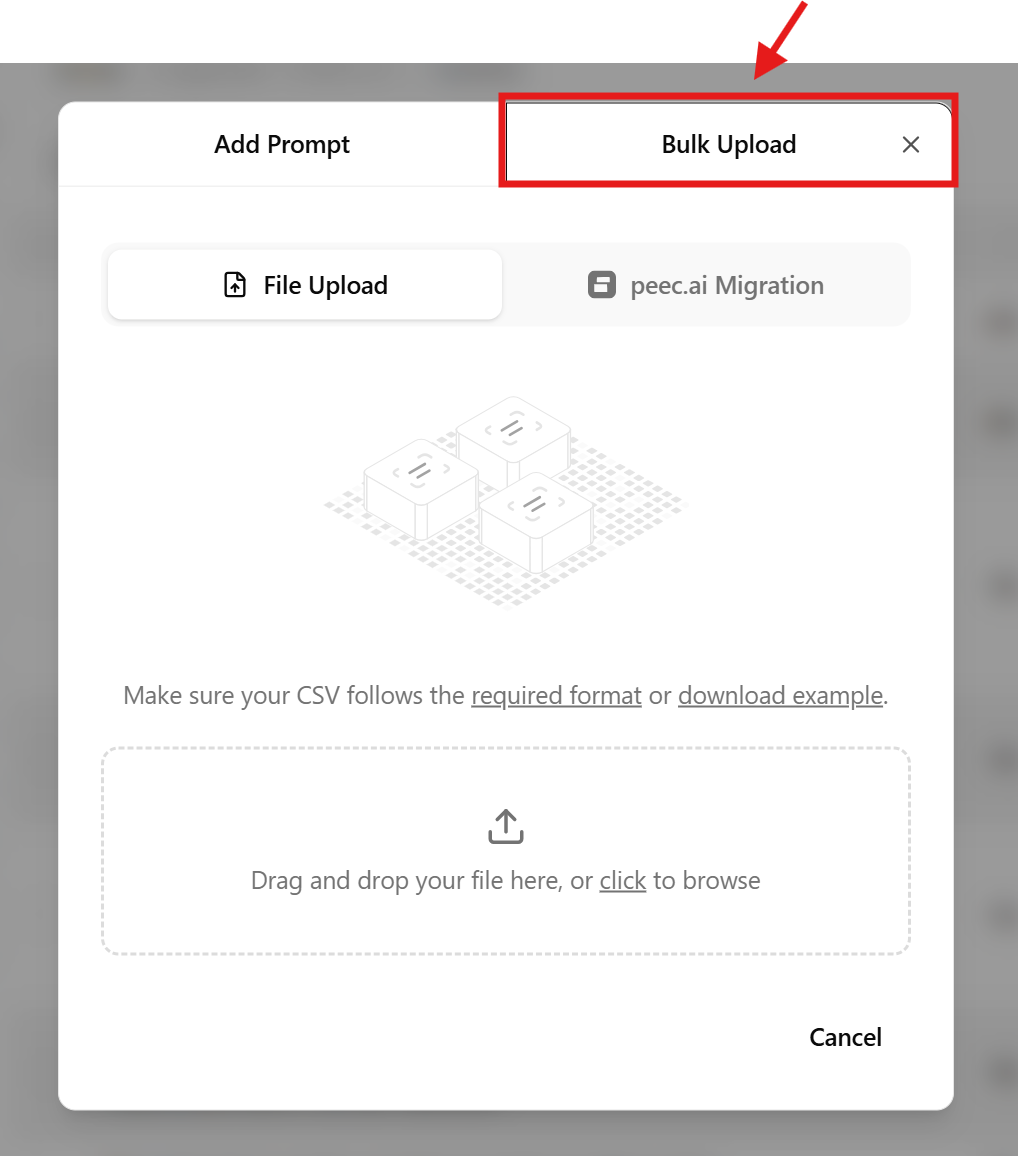
Choose Your Bulk Method
You have two options:
- CSV Upload - Upload a CSV file containing your prompts.
- Peec.ai Migration - If you’re migrating from Peec.ai, we can import your existing prompts directly along with their tags. To do this:
- Go to https://app.peec.ai/prompts
- Click Export button on the right side of the table
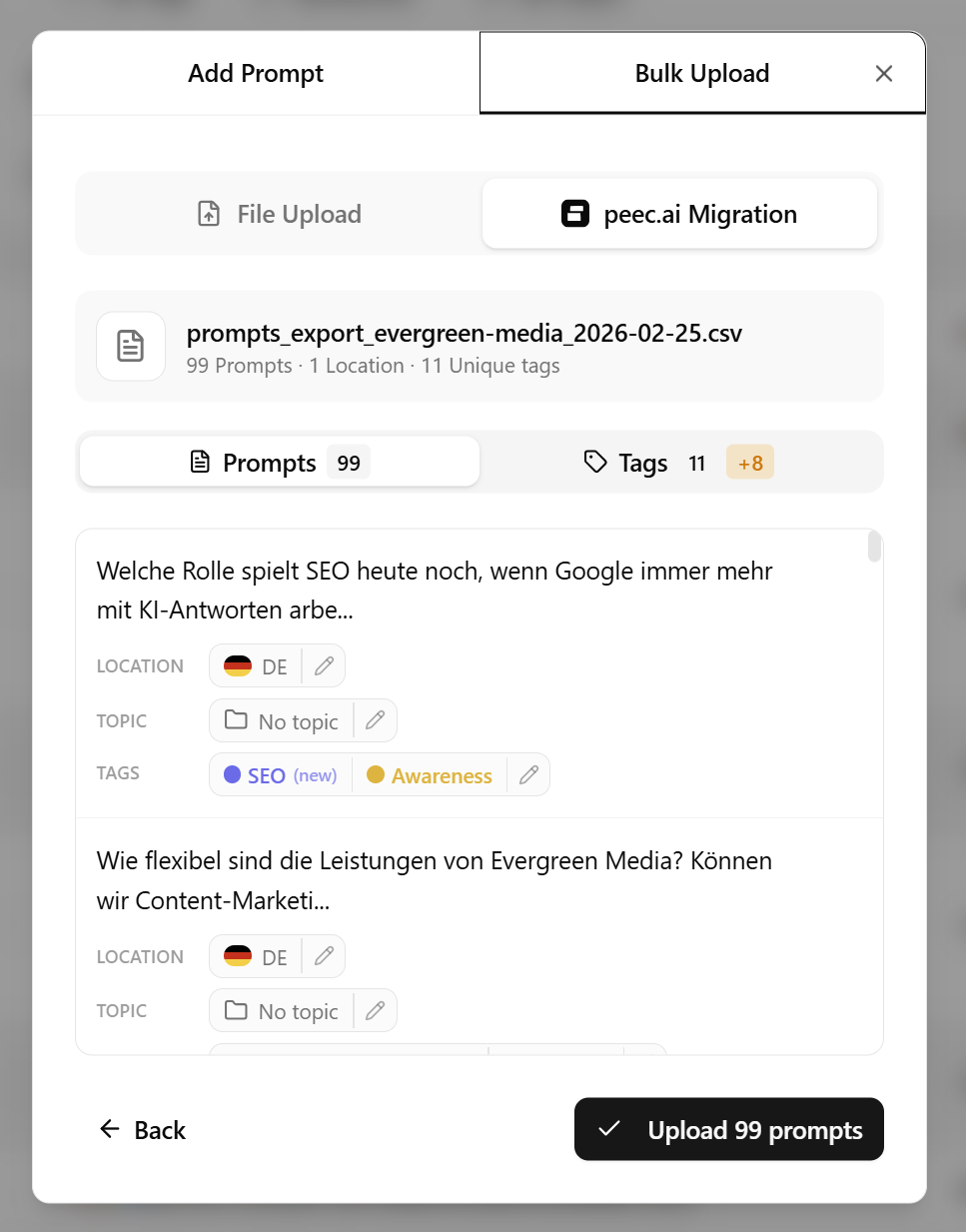
- Then select Peec.ai Migration in our dashboard modal and upload the exported file.
Peec.ai migration note: We cannot migrate your topics from Peec.ai because their export does not include topic names. We recommend creating your topics first before importing prompts. This way, you can assign prompts to the correct topics during the import process.
Bulk CSV Example
Here’s an example of how your CSV file should look for bulk uploading prompts:BULK CSV Example
- prompt: The question you want to ask AI platforms.
- location: (Optional) The market location for this prompt (e.g., US, DE, GB). If left blank, it defaults to your project’s primary location.
- tags: (Optional) A semicolon-separated list of tags to assign to this prompt (e.g.,
awareness;consideration). Tags help you organize and filter prompts in your dashboard. Use semicolons without spaces to separate multiple tags.
Bulk Actions
You can also:- Move prompts to different topics
- Add/remove tags from multiple prompts
- Activate/pause multiple prompts
- Delete multiple prompts
Frequently Asked Questions
How many prompts can I have?
How many prompts can I have?
Unlimited! We don’t have limit on the number of prompts
Can I edit a prompt after creating it?
Can I edit a prompt after creating it?
No. Once a prompt is created, it cannot be edited to ensure data consistency. If you need to change a prompt, simply archive and delete the old one and create a new prompt with the desired text.
How do I know if a prompt is working?
How do I know if a prompt is working?
In prompt table rows, click on the prompt to see its details. each prompt has its own dashboard showing visibility, brand mentions, sources, and AI responses. This allows you to analyze how each prompt performs and make informed decisions about which ones to keep, modify, or archive.
Should prompts include my brand name?
Should prompts include my brand name?
Both approaches work:
- Without brand name: Shows if AI mentions you organically
- With brand name: Shows how AI describes you specifically
What is max character limit for prompts?
What is max character limit for prompts?
Prompts can be up to 2000 characters long. This allows you to ask detailed questions while ensuring they are concise enough for AI platforms to process effectively.